
An invoice with a QR code in one click, e-invoices ready for 2027 and payment tracking.
9 €per month on top of your plan
ChatGPT, Claude and Gemini in one window. Jarvis reads your mail and prepares replies, keeps track of clients and tasks, and has 70+ apps built in – the ones you search the internet for today. I install it, set it up for your work and look after it.
Installation 500 € once · then from 15 € a month · AI subscription with no mark-up
 Jarvis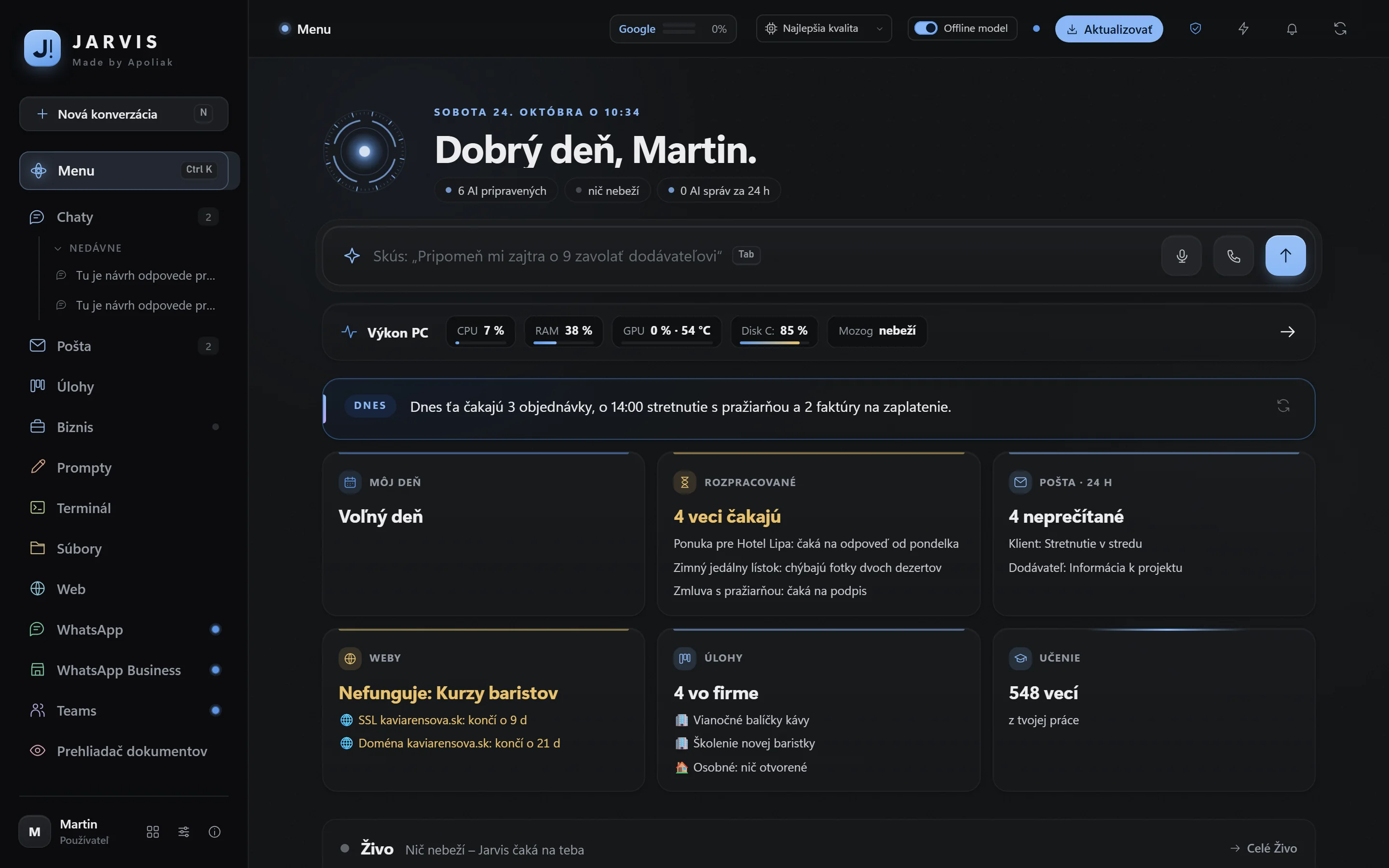
WHAT YOU NO LONGER NEED SEPARATELY
You write what you need. Jarvis picks the most suitable model and depth of answer by itself – it replies to a greeting at once, and works through a contract or an analysis in depth.
Jarvis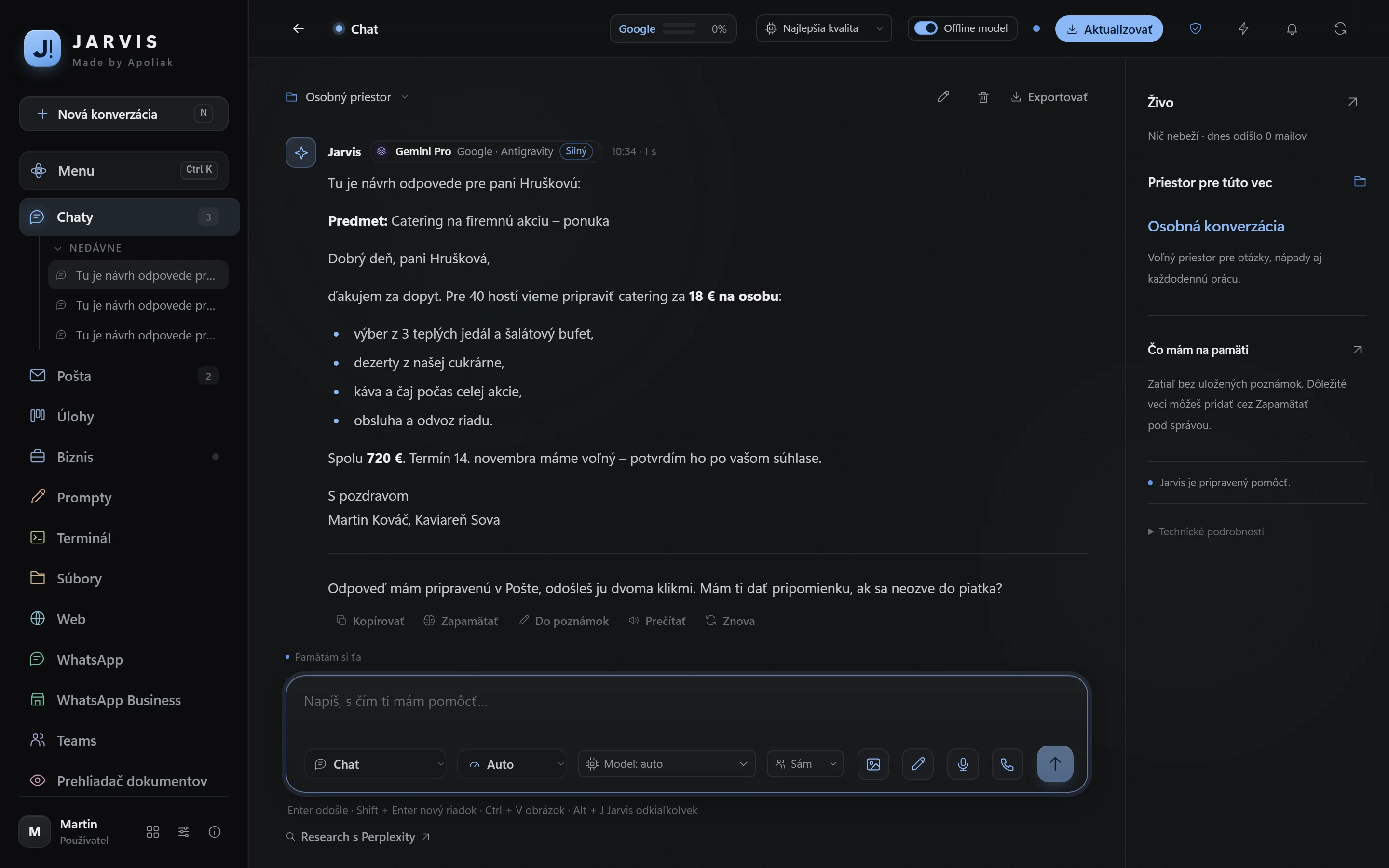
Gmail and your business mailboxes in one place. Say “check my mail” and you get a summary of what matters. Every message comes with a draft reply that you edit and send in two clicks.
Jarvis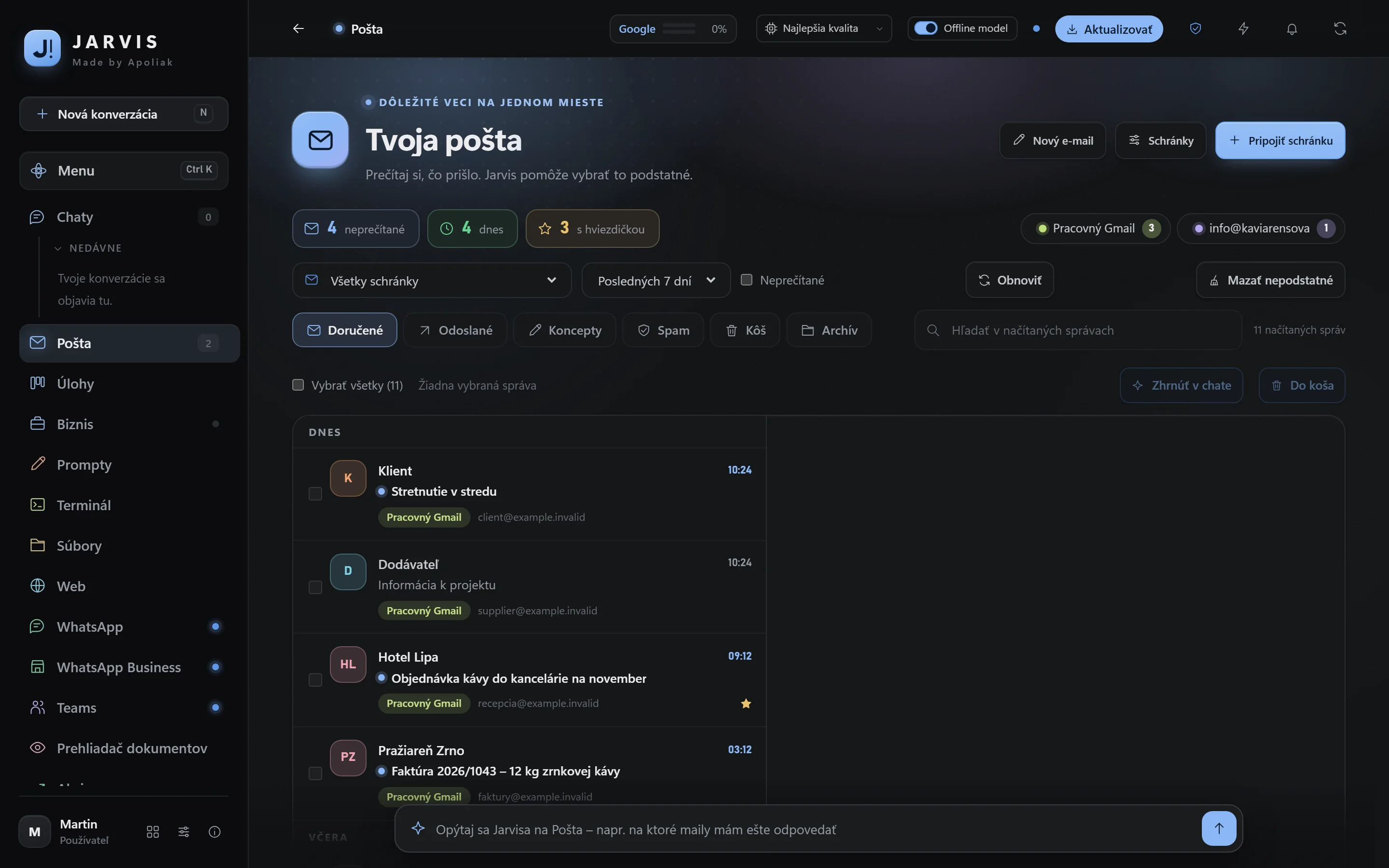
Revenue and expenses by month, your monthly goal and how much per day is still missing, and what is waiting to be paid. Jarvis also keeps an eye on your websites and tells you when one goes down or a certificate is about to expire.
Jarvis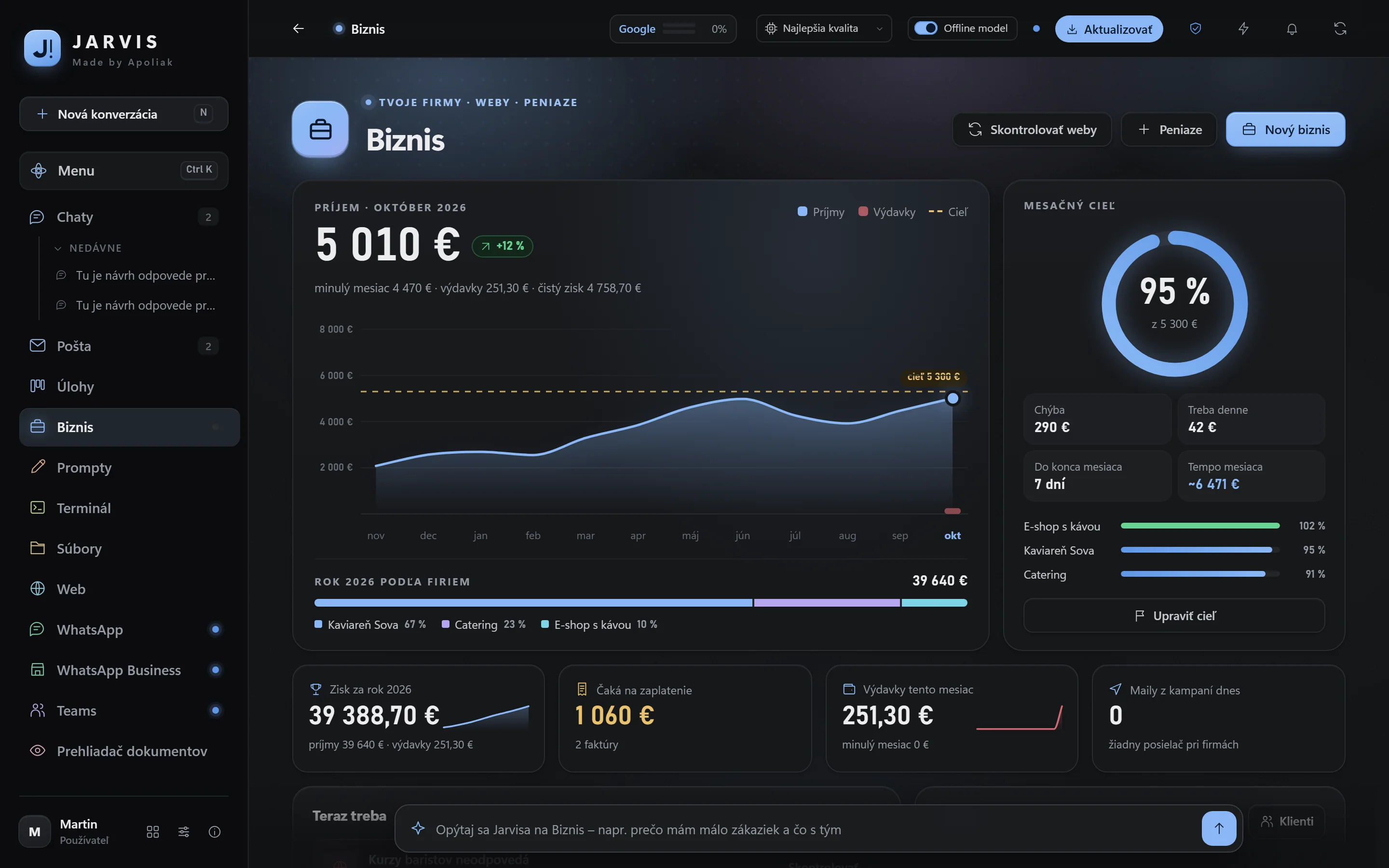
A summary of your mail and tasks every morning, invoices from your mail into Excel on Fridays, a check of your online shop every four hours. Jarvis works with PDF, Word and Excel, with your browser and with your programs.
Jarvis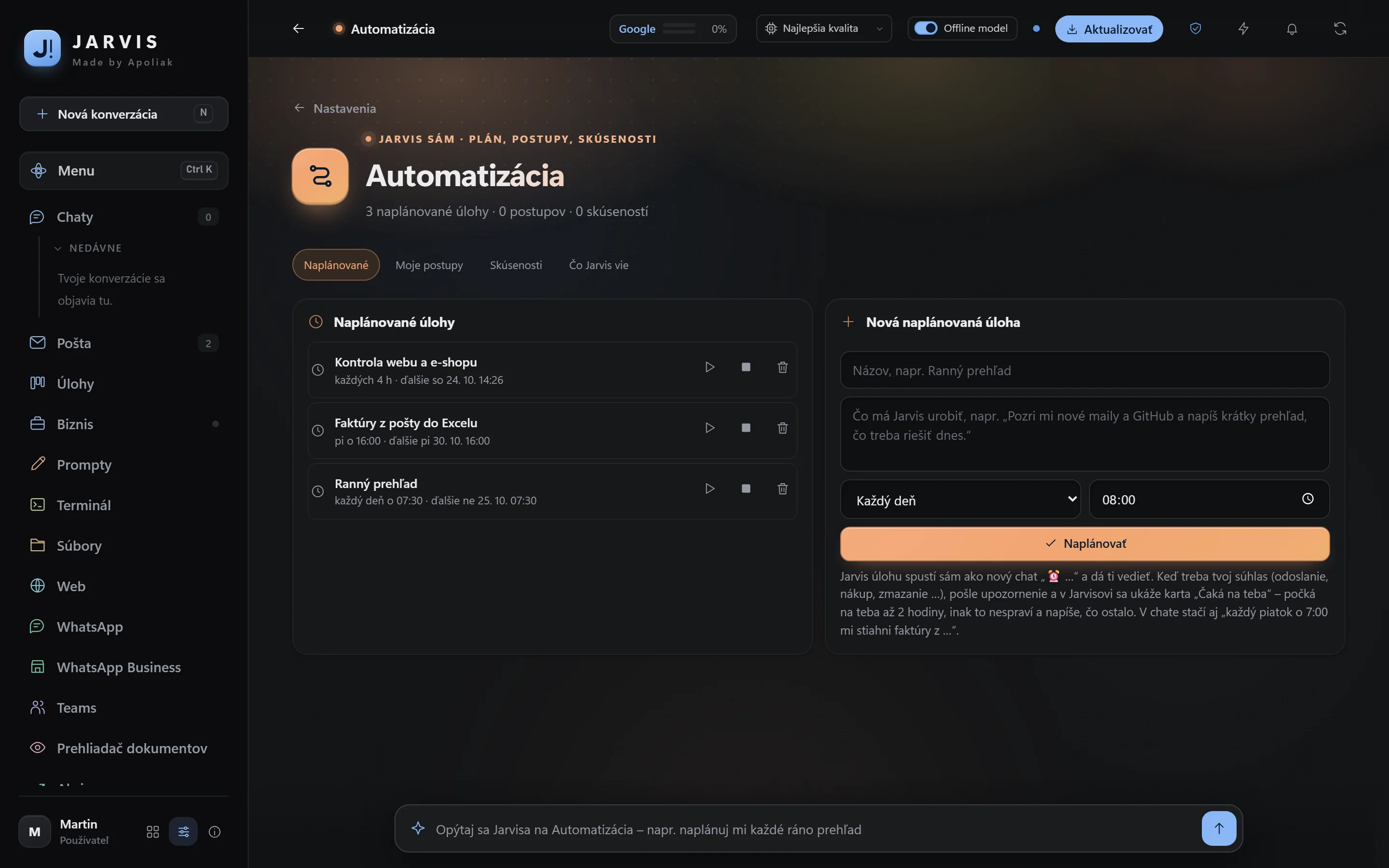
Hold a key and dictate into any window – an e-mail, Word or a chat. Transcription runs right on your computer, and recordings are not sent anywhere.
Jarvis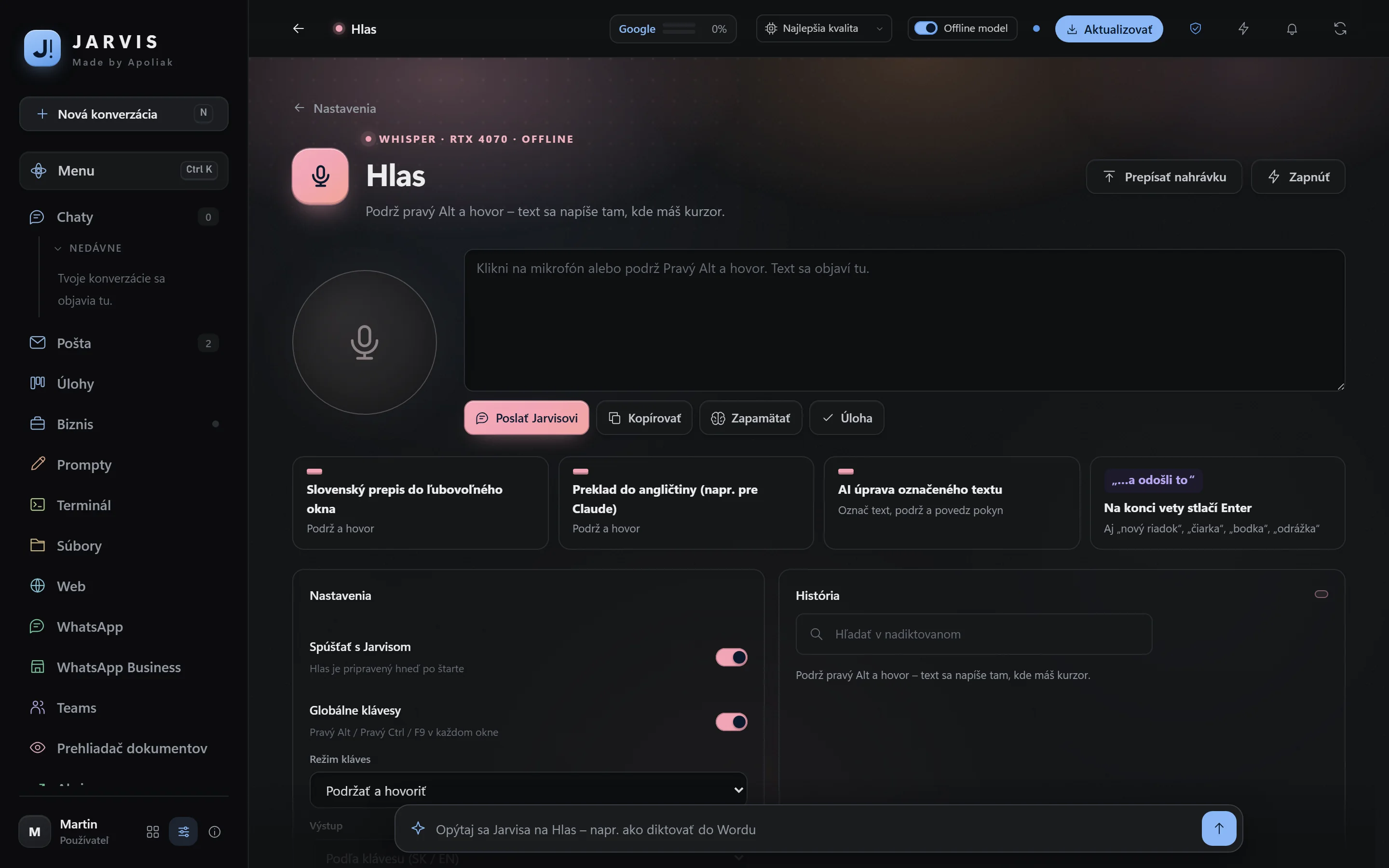
Price quote, PDF tools, QR payment, text from an image, screen recording, timesheet, website check, a VAT calculator, stocks and games for your break. All inside Jarvis, with no ads and no sign-ups.
Jarvis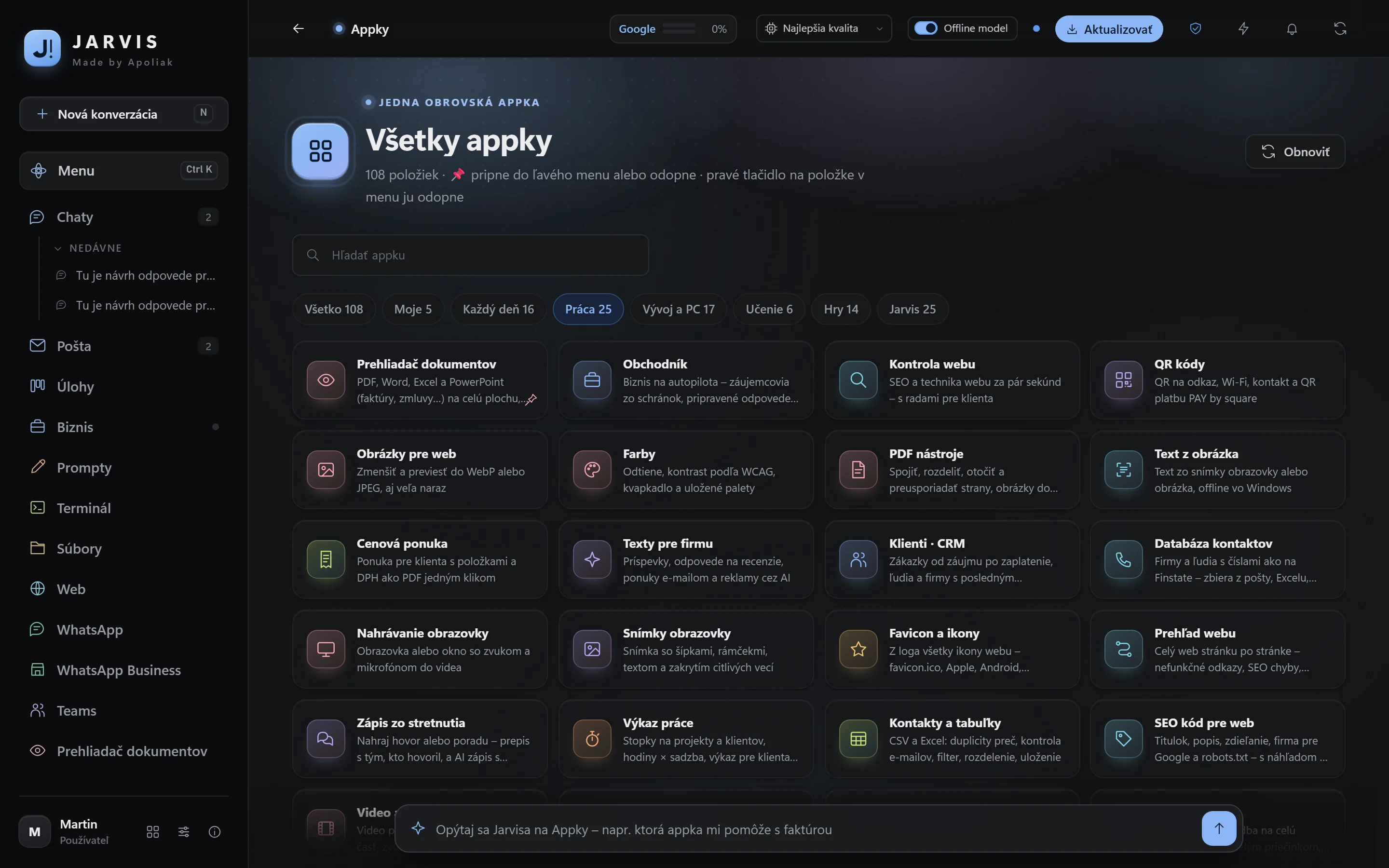
Jarvis is not a web service you have to upload your business to. It runs on your computer, and your data does not leave your disk unless you allow it.
Your history, mail, clients and notes are on your computer, not on someone else’s server.
Mailbox passwords and keys are encrypted, and the AI never receives them.
You always confirm sending, payments, deletion and publishing yourself.
With your own AI model, even the text of your questions stays on your computer.
A company adds modules for its own field to its plan – monthly, with no reinstalling.
An invoice with a QR code in one click, e-invoices ready for 2027 and payment tracking.
Invoices and receipts from your mail and your phone, into a spreadsheet for your accountant.
Jarvis learns your price lists, procedures and contracts and answers from them.
In the shop you pick a plan and the add-ons that make sense for your work.
The installation and the first period by bank transfer – scan the SEPA QR code in your banking app or pay using the IBAN.
Usually in 2 – 3 hours over screen sharing. We connect your accounts and mail, and I show you everything that matters.
Updates and new features arrive by themselves. When you need something, get in touch.
You pay for an AI subscription (if you want one) directly to the provider. I only charge for Jarvis and for looking after it.
For one person who wants everything in one window.
+ 500 € installation, once
For sole traders and small businesses that run on e-mail and clients.
+ 500 € installation, once
For a company that wants Jarvis tailored to its work.
+ 500 € installation, once
Pay yearly and get 12 months for the price of 10. Full pricing and comparison
On Windows 10 or 11 (64-bit). We recommend at least 16 GB of RAM. For your own offline AI model, an NVIDIA graphics card with 12 GB of memory or 32 GB of RAM is suitable – I’m happy to check your computer before you order.
No. Jarvis also works with free AI services (for example Google AI Studio or Groq) and with an offline model. A subscription (ChatGPT Plus, Claude Pro, Gemini) gets you the best answers. You pay the subscription directly to the provider – with no mark-up; Jarvis simply uses your accounts.
Jarvis installed and set up for your work: your AI accounts, mail, calendar and WhatsApp connected, your companies, prices and reply style set up, contacts imported, 60 minutes of training and 14 days of priority help. The installation is paid for once.
The monthly plan is a licence to use Jarvis plus ongoing care for it: continuous updates and new features, fixes, a check after every new version, and support according to your plan. Pay yearly and you get 12 months for the price of 10.
Your licence is valid until the last day you have paid for. After that you have 14 days to renew before Jarvis locks. Your data stays on your computer and you can export it at any time.
Everything is on your computer. Windows encrypts your passwords and the AI never receives them. The text you write goes only to the AI service you choose – with an offline model it goes nowhere. As the seller, I have no access to your data; during remote help, only for the duration of a connection that you allow yourself and can end at any time.
500 € installation once, then from 15 € a month. I install it, set it up and look after it.